Customers will likely be motivated to move away from SedonaWeb Legacy 1.0 sooner rather than later due to the PCI compliance changes and the potential fees or fines that Payment Processors such as Forte will need to report from using older technology for the transfer of secure information. If customers are finding it difficult for their customers to utilize the "Existing User" reset function found here:
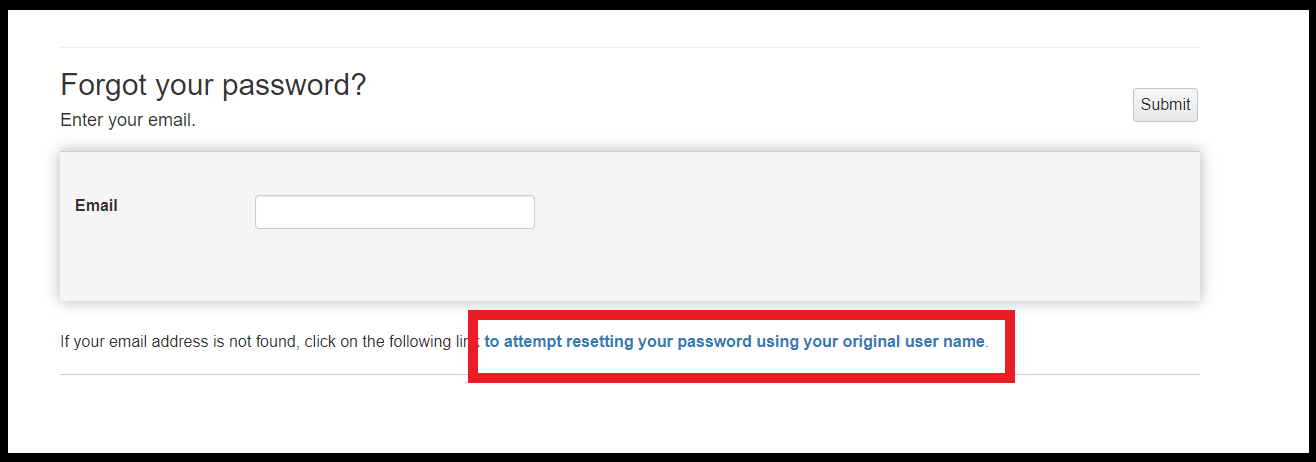
You should also validate that new SW 2.0 user registrations work without issue with emails that were not previously used with SWLegacy.
If the end user is still having issues, Data options that can be explored for en masse updating are as follows:
Note: It is important to validate which error is being produced in the Logs prior to exploring either option, as these are more en masse fixes and not individual account workarounds.
A) A Script can be run to create all the existing SWLegacy users as SW2.0 with a generated secure password. From there, provided all SMTP settings are correct, users can utilize the forgot password option to reset their passwords and begin using SW 2.0
B) All existing SedonaWeb Legacy accounts can be removed(updated) so that the email username is augmented with 11 as the prefix, which would then allow the new user creations to not trigger issues with the existing WS_Account table IDs.
---Checks the WS_Account table for an existing email ---
---To Use remove the "---" from the next line and replace with an email used for SW Legacy--
---SELECT *From WS_Account WHERE Account_Name = 'cxemail@provider.com'
---Step 1: Create Backup Table of the WS_Account table ---
Select * into WS_Account_Bak from WS_Account
--- Step 2: Identify records where there is an Account_Name in the WS_Account table that does not exist in the AspNetUsers in the SedonaCloud Database ---
SELECT asp.Id,asp.BaseCompanyId, ws.*
FROM   WS_Account AS ws
LEFT OUTER JOIN SedonaCloud.dbo.AspNetUsers AS asp ON ws.Account_Name = asp.Email
WHERE        (asp.Email IS NULL)  --49
--- Step 3: Update the Account_Name field, adding 11 in front of the value ---
--- Where there is an Account_Name in the WS_Account table that does not exist in the AspNetUsers in the SedonaCloud Database ---

Update WS_Account
set Account_Name = '11'+Account_Name
FROM   WS_Account AS ws
LEFT OUTER JOIN SedonaCloud.dbo.AspNetUsers AS asp ON ws.Account_Name = asp.Email
WHERE        (asp.Email IS NULL)
--- Step 4: Restore Account Number from Backup Table if needed to undo changes made. ---
UPDATE    WS_Account
SET WS_Account.Account_Name = BAK.Account_Name
FROM  WS_Account WS
INNER JOIN  WS_Account_Bak bak ON  ws.Account_Id = bak.Account_Id
---- Step 5: Update ASPNetUsers to reuse the email address where no WS_Account record exists.
select ws.Account_Name,asp.* from SedonaCloud.dbo.AspNetUsers asp
left outer join WS_Account ws ON ws.Account_Name = asp.Email
--left outer join AR_Customer_Bill_Email b on asp.Email =b.Email_Address
WHERE (ws.Account_Name IS NULL) and BaseCompanyId =1 and Ext_EmployeeId is NULL --49


Update asp
set
Email ='11'+Email,
NormalizedEmail ='11'+NormalizedEmail,
NormalizedUserName ='11'+NormalizedUserName,
UserName='11'+UserName
--Select *
from SedonaCloud.dbo.AspNetUsers asp
left outer join WS_Account ws ON ws.Account_Name = asp.Email
--left outer join AR_Customer_Bill_Email b on asp.Email =b.Email_Address
WHERE (ws.Account_Name IS NULL) and BaseCompanyId =1 and Ext_EmployeeId is NULL --49
